
Lýsing
Omnix Responsive Preview helps developers, designers, and site owners instantly preview their website in different screen sizes.
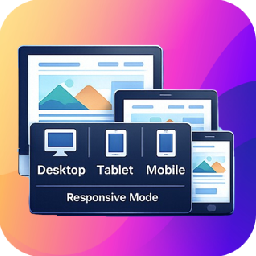
The plugin adds a lightweight popup panel on the frontend that allows you to toggle between Desktop, Tablet, and Mobile views. It’s perfect for testing responsive layouts during development or content editing — no browser dev tools required.
Key Features
- Toggle between Desktop, Tablet, and Mobile views
- Popup panel with clean and minimal UI
- Instant preview without page reload
- Works on any WordPress theme
- Lightweight and performance-friendly
Ideal for:
– WordPress theme developers
– Plugin developers
– Designers & QA testers
– Content editors checking responsiveness
Usage
- Open any page on the frontend.
- Click the floating Responsive Preview.
- Choose:
- Desktop
- Tablet
- Mobile
- The page will instantly resize to the selected viewport.
- Go to Settings > Responsive Preview from WordPress admin dashboard and change screen sizes for desktop, tablet and mobile devices.
No configuration required — it works out of the box.
License
This plugin is licensed under the GPL v2 or later.
Skjámyndir


Uppsetning
- Upload the plugin folder to
/wp-content/plugins/, or install it directly from the WordPress Plugin Directory. - Activate the plugin through the Plugins menu in WordPress.
SOS
-
Does this plugin affect real visitors?
-
No. The panel is visible only to logged-in users (typically administrators).
-
Does it reload the page when switching views?
-
No. View switching happens instantly without reloading.
-
Will this plugin work with any theme?
-
Yes. It works with all properly coded WordPress themes.
-
Can I change breakpoint widths?
-
Yes. Breakpoint widths can be changed.
Umsagnir
There are no reviews for this plugin.
Þátttakendur & höfundar
“Omnix Responsive Preview” er opinn hugbúnaður. Eftirfarandi aðilar hafa lagt sitt af mörkum við smíði þessarar viðbótar.
Höfundar
Translate “Omnix Responsive Preview” into your language.
Interested in development?
Browse the code, check out the SVN repository, or subscribe to the development log by RSS.
Breytingarsaga
1.0.0
- Initial release
- Desktop, Tablet, and Mobile preview modes
- Frontend popup panel UI
- Screen size settings page