
Lýsing
MailBridgeAPI Email Delivery connects WordPress to a mailbox that is centrally managed in MailBridgeAPI. It does not ask for or store the mailbox SMTP password in WordPress. After an administrator authenticates the MailBridgeAPI account and locks one mailbox to the site, outgoing messages are delivered through the MailBridgeAPI HTTPS API.
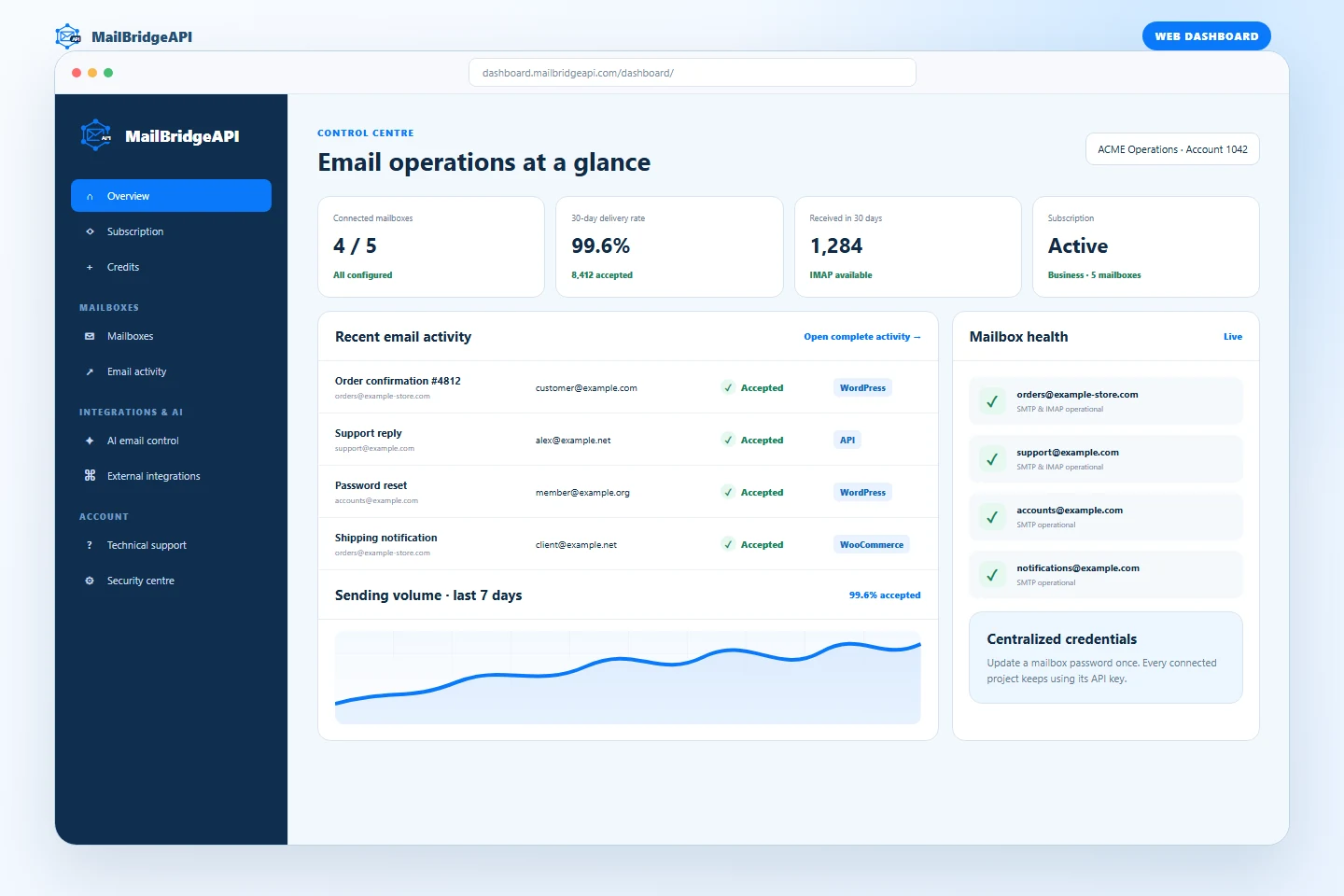
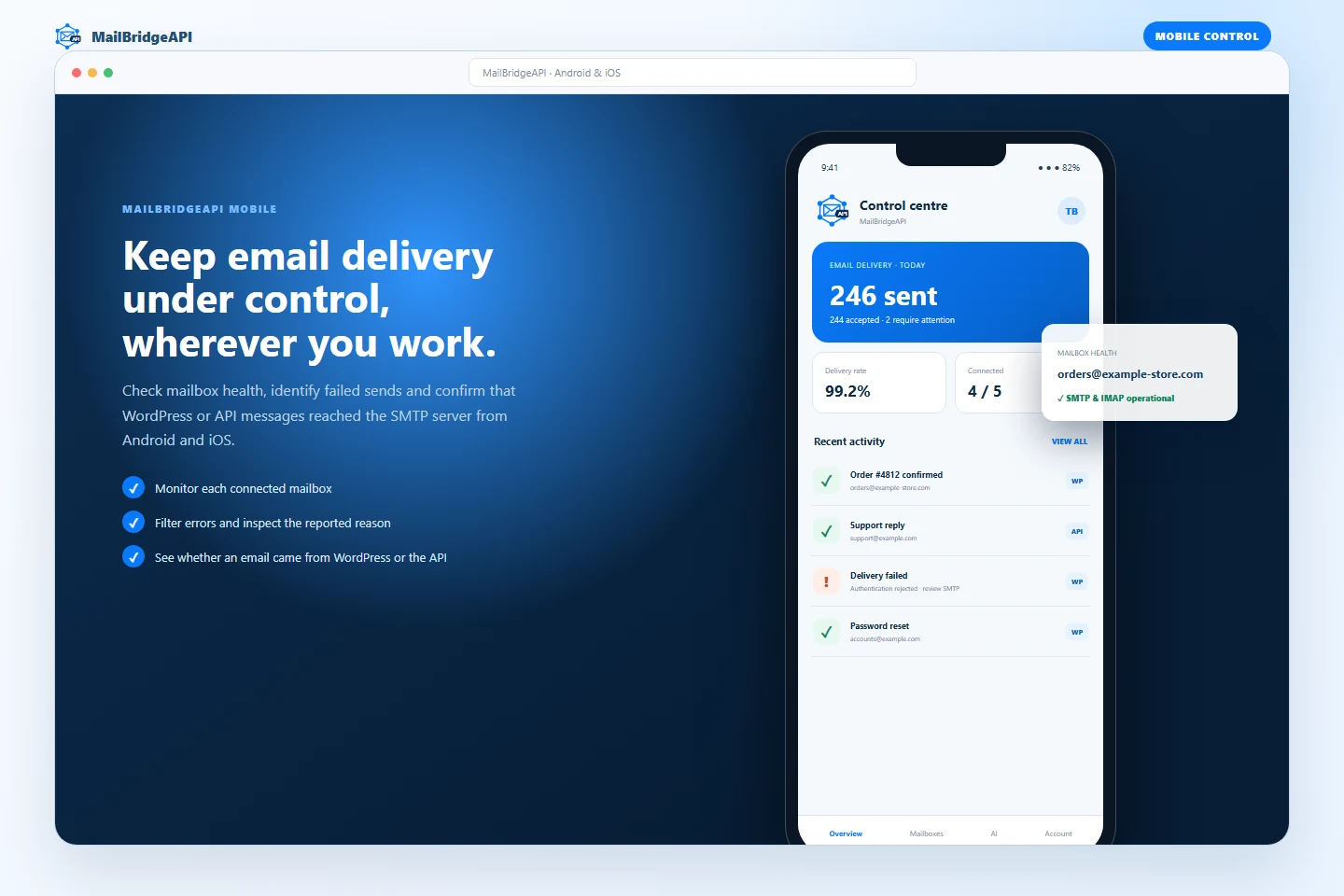
This is useful when an agency or business manages the same mailbox across several websites or applications. SMTP and IMAP settings stay in one dashboard: changing a mailbox password or server setting does not require editing every connected WordPress installation. Delivery activity can also be reviewed from the MailBridgeAPI dashboard and mobile app.
The connection flow is designed for agencies and multi-client accounts:
- Sign in using the email address and password used for the MailBridgeAPI dashboard.
- Review the mailboxes available to that account and test SMTP or IMAP when configured.
- Select the mailbox reserved for this WordPress site.
- After selection, the plugin hides every other account mailbox. Changing the mailbox requires a complete disconnect and a new sign-in.
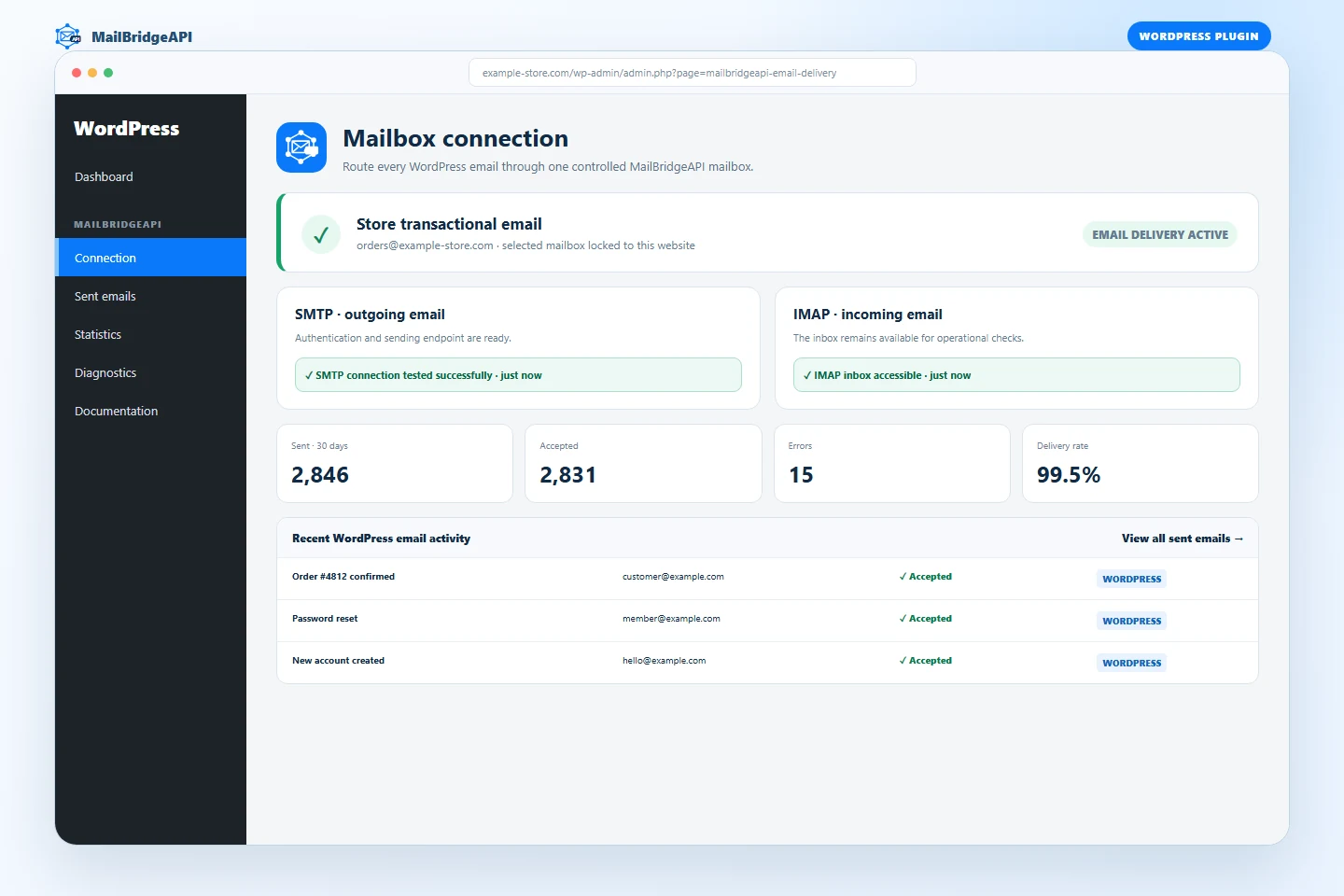
- Review delivery results in MailBridgeAPI > Sent emails and aggregate results in MailBridgeAPI > Statistics.
- Send a real end-to-end test email and inspect its MailBridgeAPI message identifier.
- Review connection, runtime, API availability and plugin-conflict checks under MailBridgeAPI > Diagnostics.
- Choose and remember the plugin interface language independently from the WordPress administration language. English is used whenever a translation is unavailable.
The dashboard password is used only for the HTTPS authentication request and is never stored. The account token and selected API keys are encrypted with AES-256-GCM using a key derived from the WordPress authentication salt.
Email compatibility
The plugin intercepts wp_mail(), so it works with WordPress core, WooCommerce and plugins that use the standard WordPress mail function. It supports plain-text and HTML messages, Reply-To, CC, BCC and up to two attachments. If MailBridgeAPI is disconnected, WordPress returns to its original mail transport.
How this differs from a local SMTP plugin
The plugin does not store SMTP host names, usernames or mailbox passwords on the WordPress server. It stores encrypted MailBridgeAPI access credentials for only the selected mailbox and sends mail through the MailBridgeAPI API. Mailbox configuration remains centralized, other mailboxes on the same agency account are hidden after selection, and delivery can be monitored outside WordPress from the dashboard and mobile app.
Local logging
The local WordPress database stores recipient address, subject, delivery result, provider response, remote message identifier and UTC date. Message bodies and attachments are not stored in the local log. Retention can be set to 30, 90, 180 or 365 days. The plugin integrates its local records with WordPress personal data export and erasure tools.
External services
This plugin requires a MailBridgeAPI account and communicates with services operated by MailBridgeAPI:
https://dashboard.mailbridgeapi.com/api/mobile/v1/auth/login/authenticates the administrator. It receives the dashboard email address and password, this site’s host name, plugin version, WordPress locale and notification preference.https://dashboard.mailbridgeapi.com/api/mobile/v1/mailboxes/returns mailboxes belonging to the authenticated account.https://dashboard.mailbridgeapi.com/api/mobile/v1/mailboxes/{id}/test/runs an SMTP or IMAP connection test for the selected mailbox identifier.https://dashboard.mailbridgeapi.com/api/mobile/v1/auth/logout/revokes the local dashboard session when the site disconnects.https://api.mailbridgeapi.com/sendemail/delivers WordPress email. It receives the selected account and mailbox API keys, recipient addresses, sender name/address, subject, body, supported headers and attachments.
Service availability, remote processing and remote retention are governed by the MailBridgeAPI privacy policy and terms and conditions.
Skjámyndir
Uppsetning
- Upload the
mailbridgeapi-email-deliveryfolder to/wp-content/plugins/, or install the ZIP from Plugins > Add New > Upload Plugin. - Activate MailBridgeAPI Email Delivery.
- Open MailBridgeAPI > Connection.
- Enter the email address and password used for your MailBridgeAPI dashboard.
- Test and select the mailbox reserved for this WordPress site.
- Trigger a normal WordPress or WooCommerce email, then verify it under MailBridgeAPI > Sent emails.
- Open MailBridgeAPI > Diagnostics and confirm that no critical item remains.
SOS
-
Can another WordPress administrator see my other client mailboxes after setup?
-
No. Once a mailbox is selected, the plugin stores only that selected mailbox and no longer displays the account mailbox list. An administrator must disconnect and authenticate again to choose another mailbox.
-
Is my dashboard password stored in WordPress?
-
No. It is used once for the secure authentication request and then discarded. The resulting session token and API keys are encrypted before database storage.
-
What happens when I disconnect?
-
The encrypted MailBridgeAPI connection is removed. Calls to
wp_mail()return to the transport configured by WordPress or another active mail plugin. -
Does the plugin store email content?
-
The local delivery log does not store the message body or attachments. It stores delivery metadata including recipient, subject, result, provider response, message ID and date.
-
Which attachments are supported?
-
Up to two readable attachments are supported, with a maximum of 5 MB each and 10 MB in total. WordPress 6.9 embedded-image attachments are not supported; use hosted image URLs or regular attachments.
-
Why is a message shown as an error?
-
Open MailBridgeAPI > Sent emails to see the provider response. Verify the MailBridgeAPI subscription, mailbox SMTP configuration and recipient address.
Umsagnir
There are no reviews for this plugin.
Þátttakendur & höfundar
“MailBridgeAPI Email Delivery” er opinn hugbúnaður. Eftirfarandi aðilar hafa lagt sitt af mörkum við smíði þessarar viðbótar.
Höfundar
Translate “MailBridgeAPI Email Delivery” into your language.
Interested in development?
Browse the code, check out the SVN repository, or subscribe to the development log by RSS.
Breytingarsaga
1.1.0
- Add a persistent interface-language selector to every MailBridgeAPI administration screen.
- Add complete bundled translations for French, Dutch, Spanish, Portuguese, German and Italian.
- Use English automatically when the selected or detected language is unavailable.
1.0.6
- Sanitize every administrator request field before use, including nonce verification data.
- Link the plugin header to the public MailBridgeAPI WordPress plugin page.
1.0.5
- Remove the private update checker so WordPress.org can manage plugin updates.
- Harden administrator request validation and document read-only filters.
- Prepare custom-table identifiers with WordPress
%iplaceholders. - Resolve WordPress Plugin Check security and naming findings.
1.0.4
- Add real end-to-end test email delivery with persistent provider result and message ID.
- Add a diagnostics screen, sanitized support report and WordPress Site Health integration.
- Detect common competing SMTP and email delivery plugins.
- Add actionable delivery error messages.
- Add recent-error menu badge, log clearing and filtered CSV export.
- Add selectable 7, 30, 90 and 365-day statistics.
- Add the translation template.
1.0.3
- Keep the latest SMTP and IMAP test result visible beside each test button, including its status, message and test time.
- Show a clear in-progress state while a connection test is running.
1.0.2
- Identify every plugin delivery with the
wordpresssource for dashboard and mobile activity tracking. - Add the
mailbridgeapi_email_delivery_sourcefilter for specialised WordPress integrations.
1.0.1
- Added full PHP 7.4 compatibility while retaining support for current PHP releases.
1.0.0
- Initial production release.
- Secure dashboard email/password connection and locked mailbox selection.
- SMTP and IMAP connection tests.
wp_mail()delivery through MailBridgeAPI.- Local sent-email log, filters, statistics and automatic retention cleanup.
- WordPress personal data exporter and eraser integration.