

Lýsing
Monek Checkout connects your WooCommerce store to Monek’s secure payment platform. Version 4.0 introduces the WooCommerce Checkout Blocks experience and retires the legacy shortcode-based checkout so merchants get a faster, more reliable checkout flow.
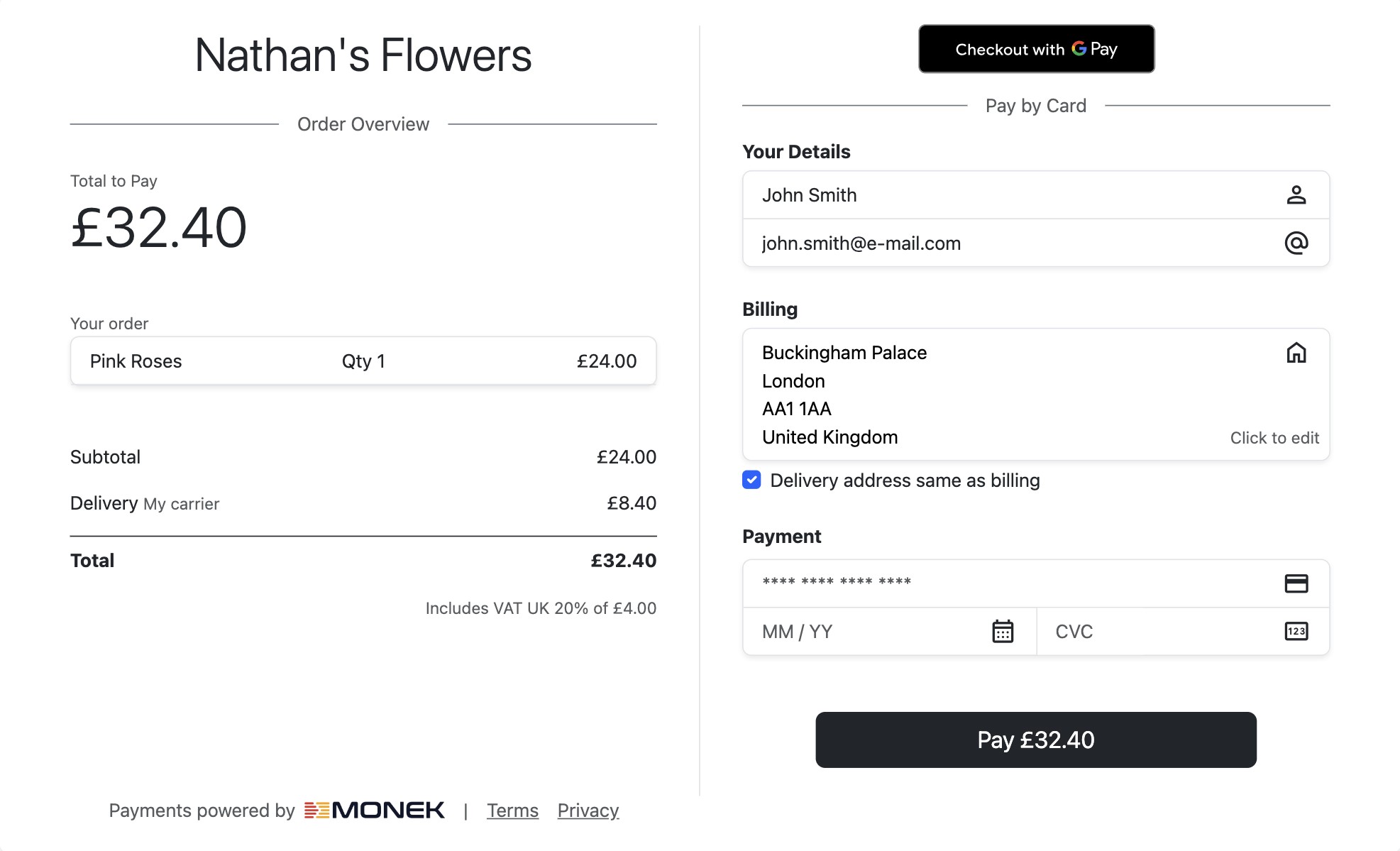
The plugin mounts Monek’s hosted payment fields and optional express wallets directly inside the WooCommerce Checkout Blocks experience. Customers stay on your site while their card details are captured securely. Merchants benefit from a guided setup that walks them through collecting API keys, enabling Apple Pay, and optionally confirming payments via webhook.
Key features:
* Secure embedded payment fields rendered inside WooCommerce Checkout Blocks.
* Optional Apple Pay and other express wallets when configured in Monek Merchant Portal.
* Payment Confirmed order status triggered by verified webhooks for added assurance.
* Simple configuration steps designed for non-technical store owners.
Important: WooCommerce Block Checkout Required
⚠️ This plugin requires the WooCommerce Block-based Checkout. The legacy shortcode checkout ([woocommerce_checkout]) is not supported. Before installing, please ensure your checkout page uses the WooCommerce Checkout Block.
To check: edit your checkout page in WordPress and confirm it contains the WooCommerce Checkout Block rather than the [woocommerce_checkout] shortcode. If you are unsure how to switch, please refer to the WooCommerce documentation on block checkout.
Configuration
1. Gather your API credentials from Monek Merchant Portal
- Sign in to the Monek Merchant Portal and navigate to Settings -> Integrations page.
- Under the WooCommerce Integration tab, create a new integration. Provide a display name and your domain (e.g.
example.com). The domain name is required for Express Checkout and can be disabled later from the WooCommerce plugin settings if needed. - As a final step, copy the access (public) key, secret key and webhook url key before closing the pop-up window.
2. Add the credentials in WooCommerce
- In WordPress, go to WooCommerce Settings Payments and select Monek.
- Enter the access key, secret key and webhook url key values.
- Save your changes.
3. (Optional) Use Apple Pay
- Your website domain is listed against the access key you created in Monek Merchant Portal.
- You can disable Apple Pay at any time by unticking Express Checkout from the plugin settings.
- Test checkout from a supported Apple device or browser. The Apple Pay button will appear automatically once Apple confirms the domain.
4. (Optional) Use a webhook for Payment Confirmed
- Webhook confirms payment, and the plugin updates the order status to Payment Confirmed. Use this status to track orders that have securely completed the Monek payment flow.
- If you prefer to manage order status updates manually, you can remove the Webhook URL Key from the plugin settings.
Support
Need help? Contact Monek Support or visit the WordPress.org support forum.
Skjámyndir




Uppsetning
- Install the plugin from Plugins Add New by searching for „Monek Checkout“ (or upload the ZIP from GitHub).
- Activate the plugin.
- Visit WooCommerce Settings Payments and click Monek.
- Enable the payment method and save. Continue with the configuration steps below to enter your credentials.
SOS
-
Do I have to set up a webhook?
-
No. The webhook and signing secret are optional. Without a signing secret, webhooks are automatically trusted, and the order can still move to Payment Confirmed when the event is received.
-
Can I keep using the classic WooCommerce checkout?
-
No. Version 4.x requires WooCommerce Checkout Blocks and no longer supports the legacy shortcode-based checkout. Update WooCommerce to the latest version and enable Blocks to take advantage of the improved experience.
Umsagnir
There are no reviews for this plugin.
Þátttakendur & höfundar
“Monek Checkout” er opinn hugbúnaður. Eftirfarandi aðilar hafa lagt sitt af mörkum við smíði þessarar viðbótar.
Höfundar

Translate “Monek Checkout” into your language.
Interested in development?
Browse the code, check out the SVN repository, or subscribe to the development log by RSS.
Breytingarsaga
4.2.0
- Enhanced the Express Checkout flow by introducing a verification token returned by the backend, allowing the plugin to validate and update the payment accordingly.
- Fixed standard checkout payment validation error when switching shipping options.
- The plugin detects which checkout solution is currently active and displays an error message if WooCommerce Blocks Checkout is not enabled.
4.1.2
- Fixed the block checkout payment surface staying greyed out when switching away from Monek and back; the embedded SDK now tears down and re-mounts cleanly.
- Fixed the embedded card form being clipped/half-hidden on mobile; checkout surfaces now scale to the viewport width.
- Added a teardown API (
unmount/unmountExpress) andonCheckoutFailhandling so gateway errors surface in the checkout.
4.1.1
- Fixed deprecated dynamic property assignments for PHP 8.2+ compatibility.
- Fixed gateway ID resolution to use proper PaymentContext getter methods.
- Security: added nonce verification to Apple Pay notice dismissal AJAX handler.
- Security: description output now uses wp_kses_post to prevent stored XSS.
- Security: webhook endpoint now rejects requests when no signing secret is configured.
4.1.0
Breaking change release requiring WooCommerce Checkout Blocks.
- Introduced the new checkout experience powered by WooCommerce Checkout Blocks.
- Added clear steps for collecting access keys and webhook url from Monek Merchant Portal.
- Documented Apple Pay domain setup and the option to disable it.
- Added the Payment Confirmed status to help merchants track securely verified payments.